Live now for every Teamo club
Put your timetable on your own website, take the money by card, membership or cash, and hand your coach a register on their phone. You describe a class once — Teamo does the rest of the week.
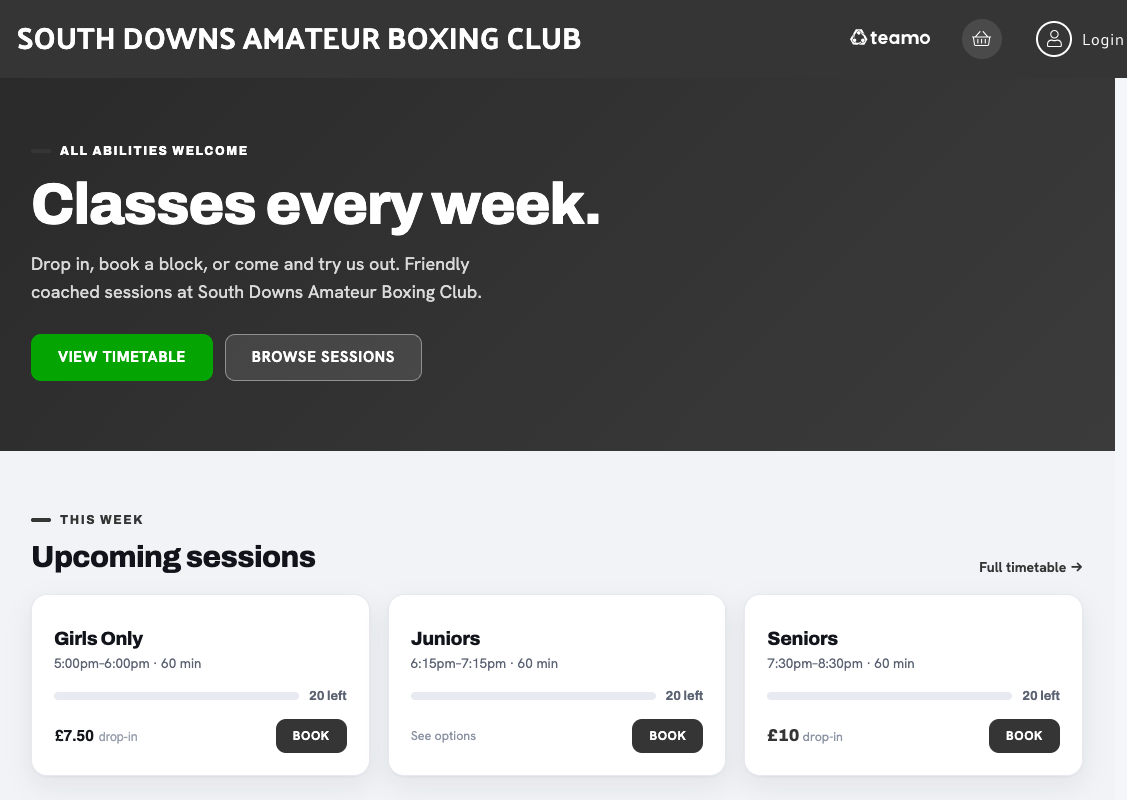
A club's own class page — the only Teamo on it is a small mark in the corner.
Built into Teamo — the club platform trusted by 1,000+ UK clubs. Classes, sessions, academies and courses, for whatever your club runs.
Your website, selling classes
Your classes become a public page under your own name and badge. Nobody has to be a member already, download an app or wait to be invited — they land on the page, pick a night and book it.
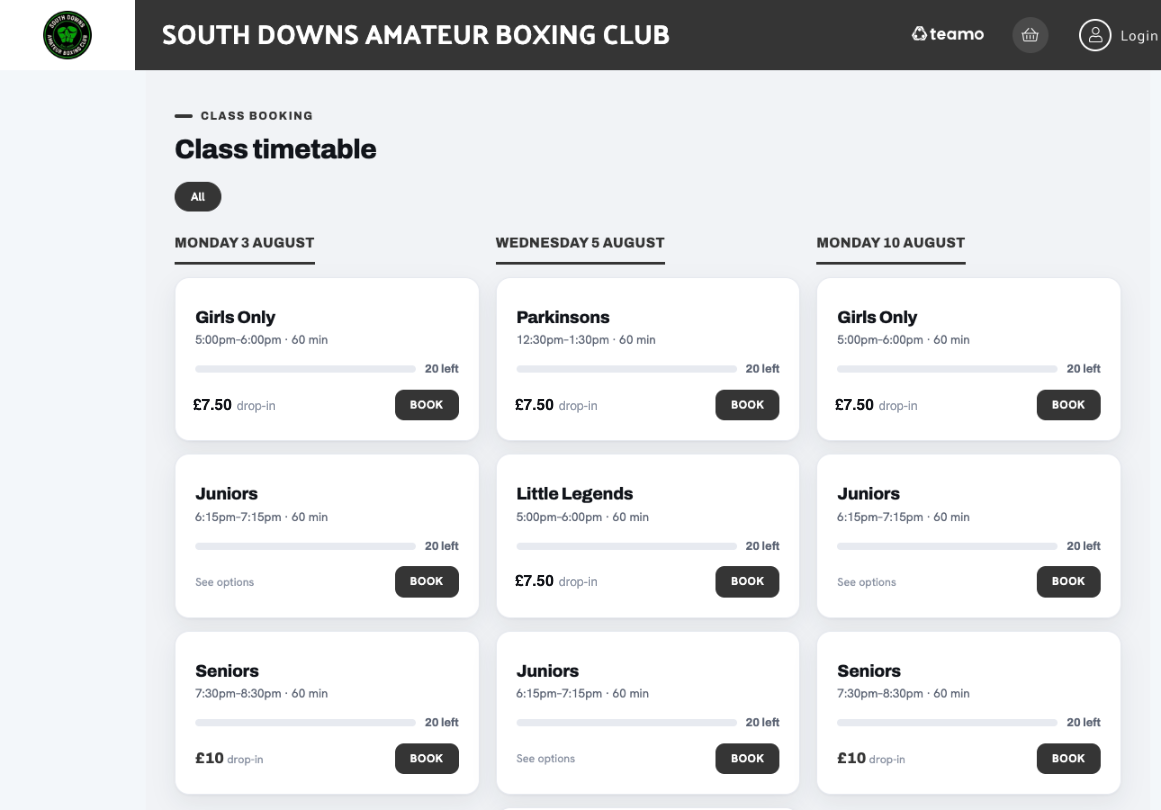
The public timetable · every session, by the day it runs
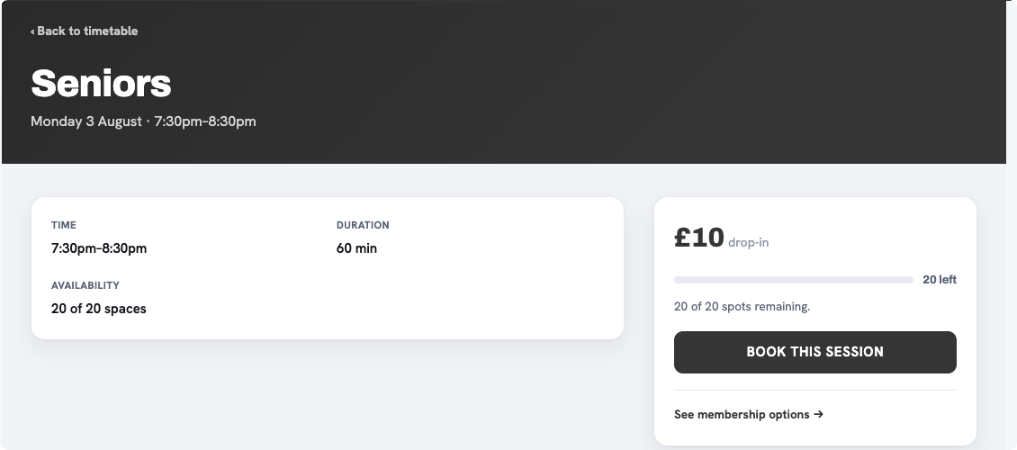
One session · what it costs and what covers it
Three ways to pay
A booking is always attached to something you have priced, so a place is never held on trust and never has to be chased afterwards. You choose which routes a class allows.
A member with the right membership books the class with no checkout at all.
Booked. Free.
Allowed per class. The place is held now, and the coach marks the money received when it arrives.
Booked now · coach confirms
A drop-in, a block of ten or a term fee, taken at the point of booking.
Booked and paid
Allowing cash is what keeps a class open to the family who turns up with a note, and it is normally the part of the evening that never gets written down. Here the coach taps each name as the money comes in, and the club can see afterwards who paid, who owes and what the session took.
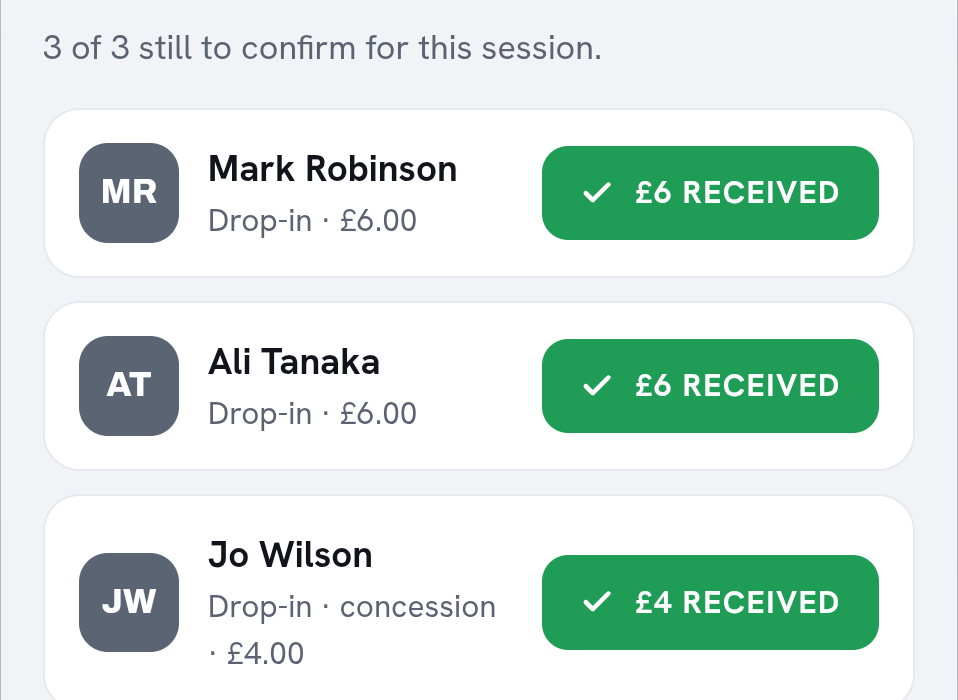
Cash owed for one session · sample data
On the night
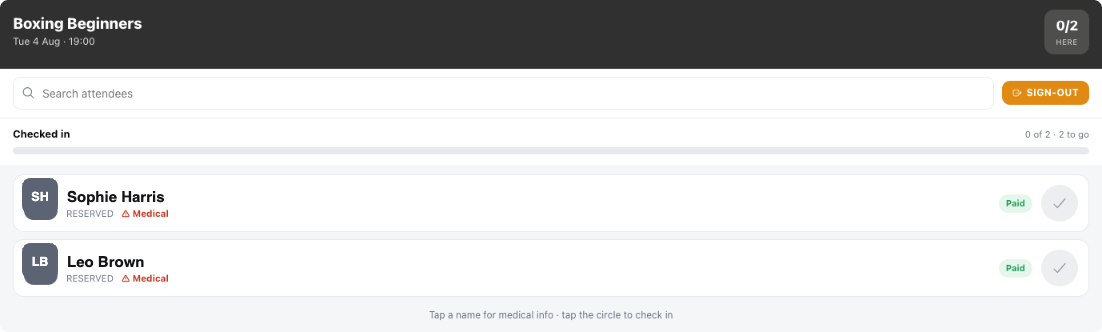
Who booked, who has paid, and anything the club wanted a coach to know before someone trains. Tap a circle to check them in; the count at the top keeps itself.
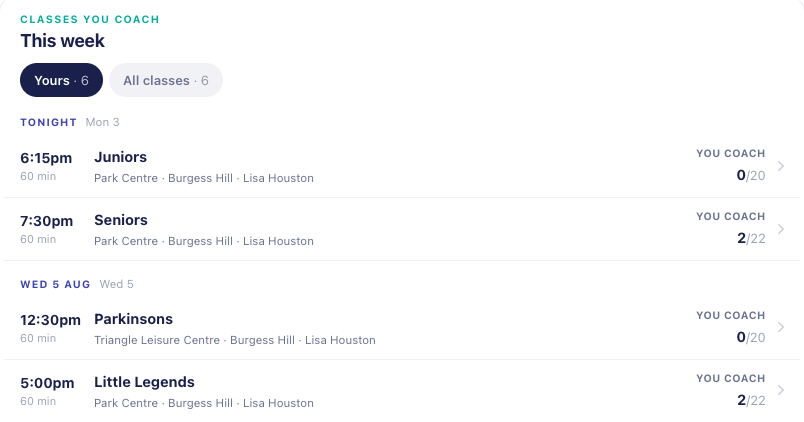
Their week is already there. Each class they run, where it is, and how many are coming. Nobody has to send a coach a list.
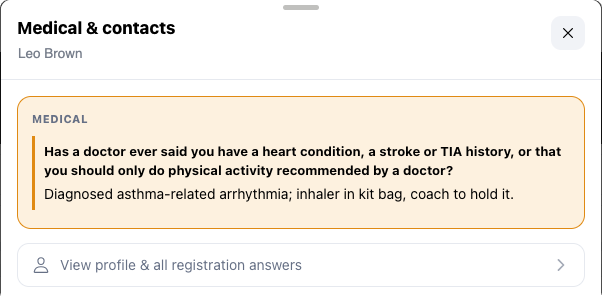
Tap a name, get the detail. The question the club asked and what was actually answered — not a whole form to read. Sample data.
Setting it up
A preview of the card your members will see updates as you type, so you can tell before you finish whether it reads right. At the end of the six, the class exists and its first sessions are on the calendar.
01
Its name, and the description members read when they're deciding whether to come.
02
Nights, start time, how long, how many places. This is what fills your calendar.
03
A drop-in, a block or a term fee — and whether cash on the night is allowed.
04
Let a newcomer try it before paying, and cap how many free goes they get.
05
Who runs it. They get the class in their own app, and the register with it.
06
The whole class on one screen. Create it, and the first sessions are made.
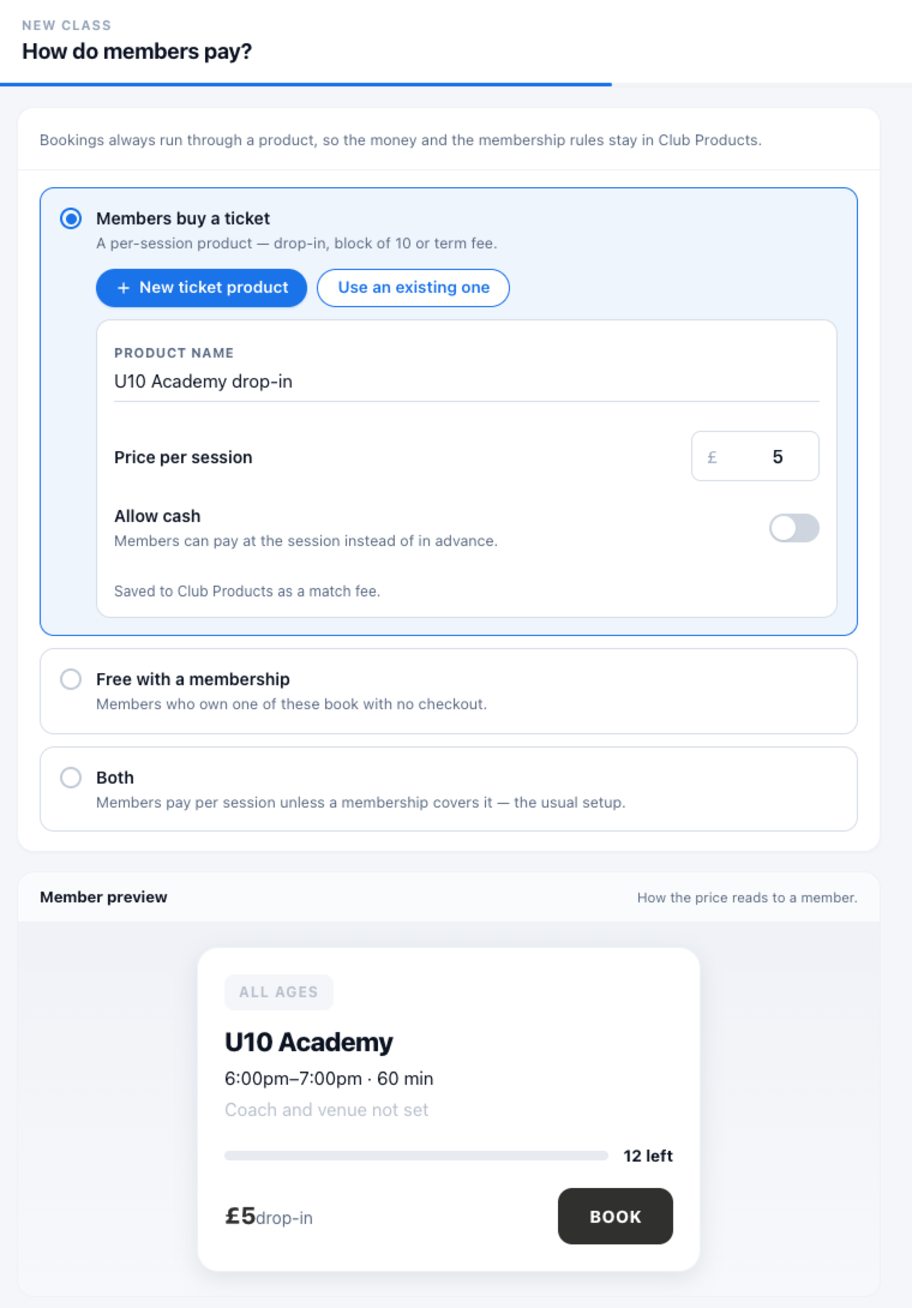
Step 3 · the money question, with the member's card previewed underneath
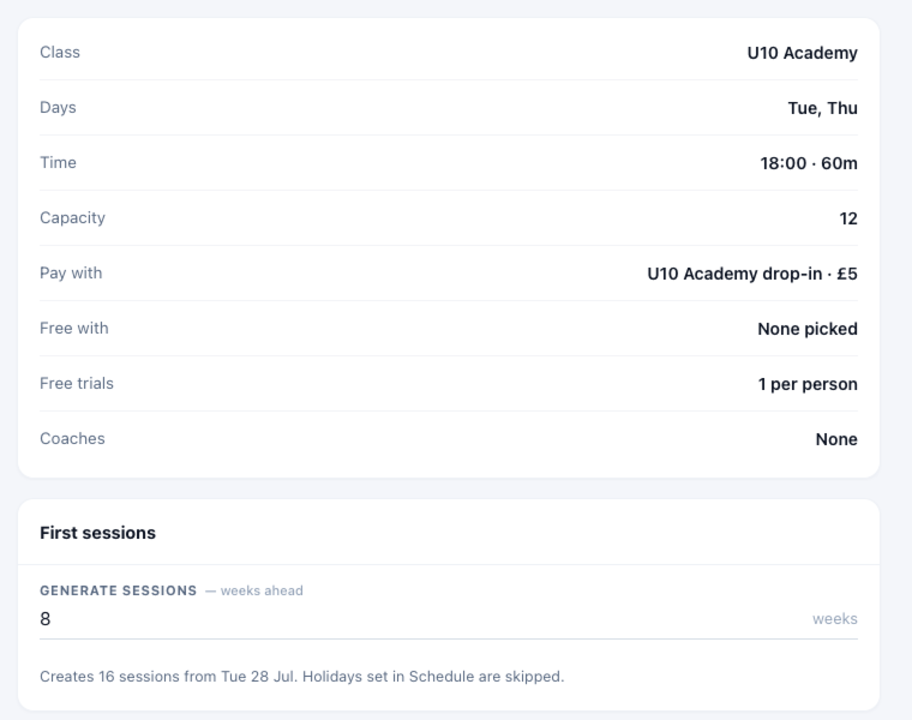
Step 6 · review, then create the first weeks of sessions
Questions clubs ask
Yes. The timetable is a public page on your own website. Someone can go from your Facebook post to a booked, paid place without downloading anything — they create a club account as they book, and you decide which classes are open to whom by age group and club section.
No. A class can allow cash on the night instead, and the coach marks each payment received on their phone. Most clubs allow both, and let members with a membership book for nothing.
Self-service cancellation is the piece being finished now: a member will be able to cancel their own place, the place goes back to the class, and a refund follows the route the payment took. Today, cancellations are handled by a club admin.
Not yet. Today a card shows the size of the class. Counting down — so a full class says so and offers a waitlist instead of a place — is landing alongside cancellation.
Nothing new. Coaches already have the Teamo app; a class they run appears in their week, and the register comes with it. Medical answers the club asked for are one tap from a name.
Class booking is part of Teamo, so it follows Teamo's normal pricing — free up to 50 members, scaling by club size, with payment fees on what you collect. The pricing page has the numbers, and the number you're quoted is the number you pay.
Set up a single class, generate a few weeks of sessions, and send your members the link. If it works for one class, it works for the whole timetable.
Included in Teamo · Set up in an evening · Nothing to install
